


GMap Editor v1 User Guide > Overlay > Draw Line
Draw Lines on Google Map
You can add lines or continuous lines to show the routes on the map. The mouse will become a plus shape "+" for you to click to start and right click to end the line.
Poly Line
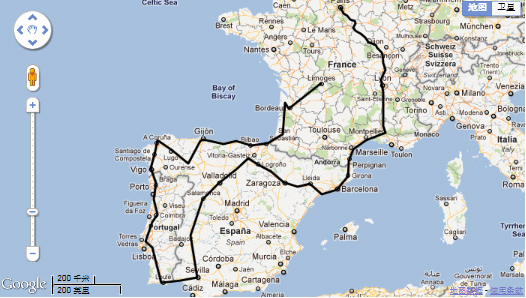
Route Sample using polyline tool
You can make change of this polyline after drawing it.
- Draw lines. (Click to start and right click to end the line)
- Click Selection Tool
 . Point the line. Then a dialogue (line settings) will pop up.

Line Settings
 . Point the line. Then a dialogue (line settings) will pop up.
| Category | You can assign polylines to different Category ID or unassign it (unassign the category ID means the mark will always visible in the map). |
| Stroke Weight | The stroke width can be change to be thinner or thicker. |
| Stroke Opacity | Change the opacity to prevent other word/image from being covered. |
| Stroke Color | Change colors from a color picker with pantone no. |
| Geodesic Mode | Shows the shortest path between two points in a curved space. 1. Draw a straight line from point to point. 2. click selection tool and check the Geodesic Mode. 3. Then the line will become a curve which is a shortest route in the earth. Sample as bellow:  |
| Delete Polyline | Delete the whole line. |
[ Top of Page ]