


GMap Editor v1 User Guide > Data > Crowdsourcing Map
Create Crowdsourcing Map with Online Map Maker

A crowdsourced map sample - Custom Google Map
Crowdsourcing Map - Let visitors to add locations to your map
Click Crowdsourced button

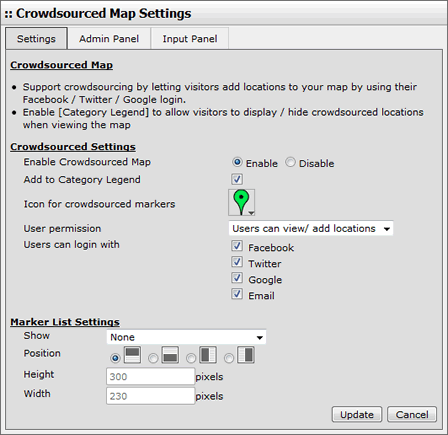
Edit Settings for Crowdsourcing Map and Marker List
Set user permission, enable / disable login from Facebook, Twitter, Google+ or email.
Admin Panel
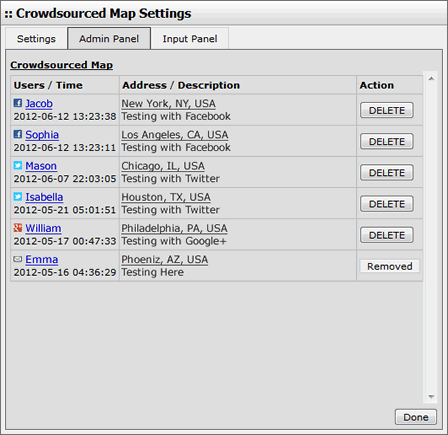
Crowdsourced Map Markers can be removed using Admin Panel
Customize Input Panel
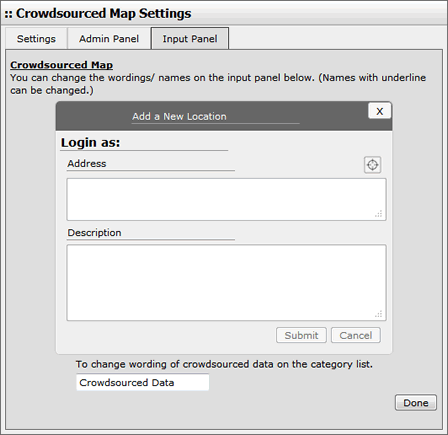
Change your own wordings for the Input Panel
If you enable the option, allowing viewers to add location,
they can place markers with the steps below:
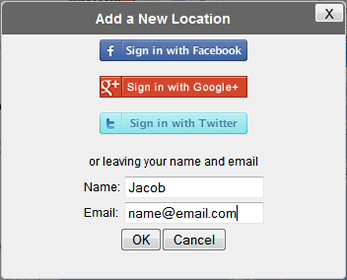
Login to share location using Facebook, Twitter or Google Plus account
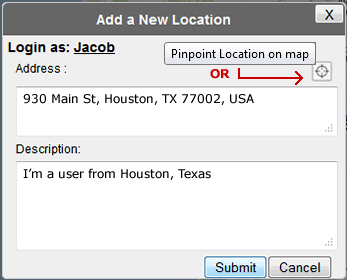
Enter address or Pinpoint Location on map, insert text description
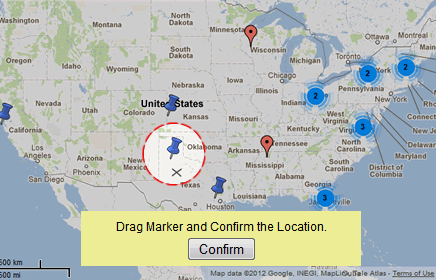
Drag the marker to confirm location on the map
[ Top of Page ]