


GMap Editor v1 User Guide > Overlay > Draw Route
Draw Routes on a map along roads
Route Tool helps you to draw custom routes / paths along street / roads / highways on your map.
e.g. Create travel route maps, driving directions, shop locator maps
etc.
Route Tool
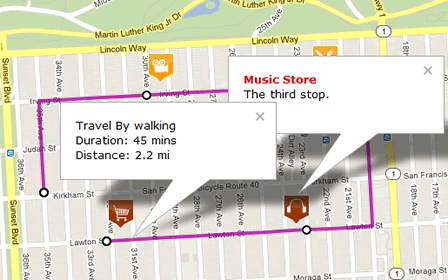
Map Sample: Plan a Travel Route, Driving Directions or Create a Store Locator Map
With Selection Tool, select a route,
you may change route settings in the dialogue.

Edit Route Settings
| Category | You can assign routes to different Category ID or unassign it (unassign the category ID means the mark will always visible in the map). |
| Stroke Weight | The stroke width can be change to be thinner or thicker. |
| Stroke Opacity | Change the opacity to prevent other word/image from being covered. |
| Stroke Color | Change colors from a color picker with pantone no. |
| Travel Mode | Select driving, walking or bicycling to draw routes and directions. |
| Delete Route | Delete the whole Route. |
[ Top of Page ]